Office window glare is usually fixed in three steps. Move the screen so it does not face or back onto the window. Add adjustable blinds that cut direct sun without killing the view. If the problem returns every sunny day, treat the glass itself as the cause and change what it lets through. This guide explains why glare happens, what UK workplace rules expect, and how to choose between layout changes, blinds, window film and better glass.
Why sunlight through office windows causes glare
Glare is a contrast problem as much as a brightness problem. Your eyes adapt to the general light level in a room. When something is far brighter than that level, such as a low sun through a window, the visual system keeps readjusting, and you feel it as discomfort, squinting and tired eyes. SageGlass explains that this is made worse when bright light bounces off surfaces into your field of view or onto a screen, creating what is called veiling glare.
The Health and Safety Executive adds that sudden contrasts take the eye several seconds to adapt, for example when you look from a bright window to a darker corner of the room. That is why a desk near a window can feel tiring even when the room is well lit overall.
Two kinds of glare you will meet in an office
- Direct glare: you can see the bright source itself, such as the sun or a bright sky patch in your line of sight.
- Reflected glare: light from the window bounces off the screen, a glossy desk or a polished surface and washes out what you are trying to read.
The fix differs for each, so it helps to work out which one you have. Sit at the affected desk at the worst time of day and note whether you are squinting at the window or at your own screen.
Why colleagues react differently
A 2018 review in LEUKOS found that the brightness and position of a glare source matter, but that there is high individual variability in how people are affected. In practice, one person may be comfortable at a desk that another cannot use after lunch. Treat complaints as useful information, not fussiness.
What UK workplace rules expect
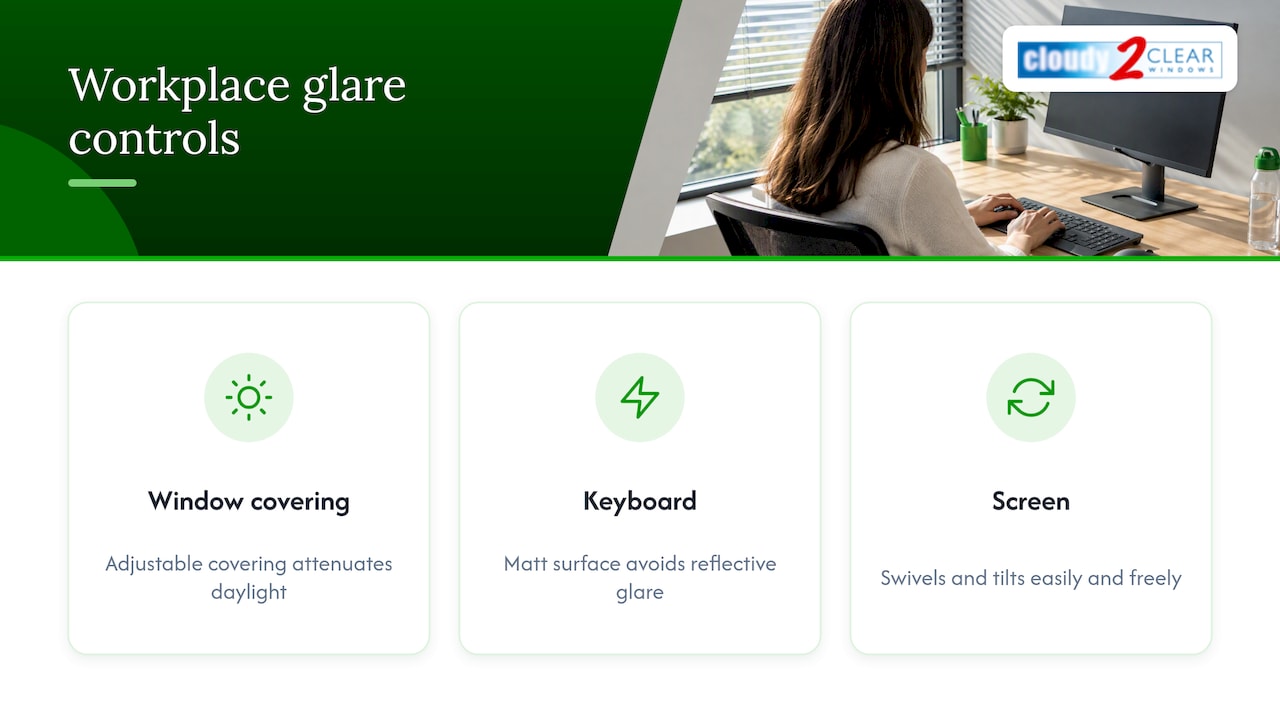
If your staff use screens, glare is not only a comfort matter. The Health and Safety (Display Screen Equipment) Regulations 1992 state that workstations must be designed so that windows and other light sources cause no direct glare or distracting reflections on the screen. The same schedule requires windows to have a suitable system of adjustable covering to attenuate the daylight falling on the workstation.
The Regulations also say keyboards must have a matt surface to avoid reflective glare, and that screens must swivel and tilt easily and freely to suit the user. These are small details, but they show that the law expects you to manage glare at several points, not only at the window.
If you manage a building for others, such as a housing association or a landlord with tenanted offices, it is worth knowing where responsibility sits. Employers answer for the workstation. Whoever owns the building usually controls the glass and the frames. That split is one reason glare complaints can go round in circles, and why a clear fix at the glazing level can end the argument.
Start with the layout, because it costs nothing
The HSE guidance on display screen equipment says to arrange the desk and screen to avoid glare or bright reflections, and notes this is often easiest if the screen does not directly face windows. Before you buy anything, try these changes.
- Turn the desk side-on to the window. Light then falls across the screen, not onto it or into your eyes.
- Avoid having your back to the window. Sitting with your back to a window sends reflections straight onto the screen, which is a common mistake.
- Avoid facing the window. Looking towards a bright window all day creates the contrast problem described above.
- Tilt and swivel the screen. A small angle change can remove a reflection. The 1992 Regulations expect screens to move freely for this reason.
- Adjust screen brightness and contrast. Match them to the room, as the HSE suggests, so the screen is not overpowered by daylight.
- Give people local light. The HSE states that local control, such as a desk lamp, can raise job satisfaction and reduce stress.
CIBSE also notes that for computer work, veiling reflections can be reduced with a high luminance background for the display and a diffusely reflecting screen surface. In plain terms, a screen that sits against a reasonably bright wall is easier on the eyes than one set against a dark corner.
Blinds: the standard first fix
Blinds are the answer most offices reach for, and the 1992 Regulations expect an adjustable covering. Done well they work. Done badly they leave gaps and a gloomy room.
What to look for in office blinds
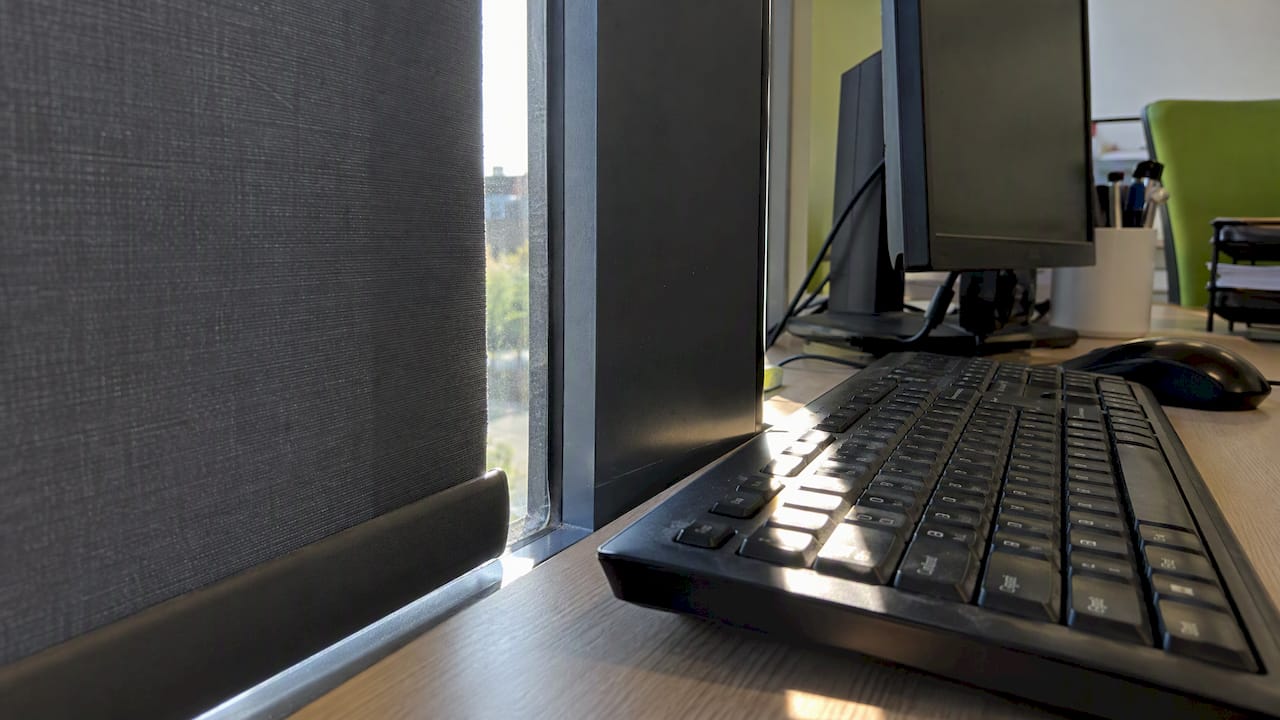
A UK blind manufacturer’s design guide recommends fabric with a 3% openness factor for areas with workstations, with a visual light transmittance of between 2% and 6% for effective glare control. Openness is how much of the fabric is open weave. A lower figure blocks more light and a higher figure keeps more of the view.
The same guide advises that blinds should line up with vertical mullions and overlap them, or run in side channels, so that gaps do not let direct sun through. A narrow stripe of sunlight across a keyboard can be as irritating as an unshaded window.
Which direction does the window face?
Office lighting guidance often suggests vertical blinds for east and west exposures, where the sun is low, and horizontal blinds for north and south. Low sun comes in sideways, so vertical slats can be angled to block it. High sun from the south is better handled by horizontal slats.
The drawback of blinds
The trouble is that blinds are often closed all day. Hunter Douglas notes in its sustainability paper that contact with the outdoors and natural light is highly valued for employee wellbeing, so shading should manage glare without removing the view. If staff keep the blinds permanently shut and the lights on, the fix is working against you. That is the moment to look at the glass.
Window film: a quick change with limits
Glare reduction film is applied to the inside of the glass. A 2026 report in Letting Agent Today says it can reduce harsh glare by up to 80% while preserving natural light, as an alternative to permanently drawn blinds. The same report says commercial films can also add some thermal insulation, UV protection and privacy.
A film maker’s technical guidance recommends a visible light transmission of no more than 20% for effective protection against sunlight glare. That number matters, because a film dark enough to stop glare will also make a room noticeably dimmer.
Check these before you apply film
- The glass type. Film on double glazing can add heat stress to the glass, so you should confirm with the glass supplier or installer that your units suit it.
- Existing faults. Film over a misted or failing sealed unit hides a problem you will still have to fix. If your panes are fogged between the layers, read our guide on fixing misted double glazing without replacing the frame.
- Lease terms. If you rent, changing the appearance of the glazing may need the landlord’s consent.
- Lighting levels. Check how dark the room looks on a dull day, not only a sunny one.
- Worth. Our piece on whether insulating window film is worth it sets out the trade-offs in more detail.
Fixing glare at the source: the glass
When layout, blinds and film are not enough, or each one brings a new drawback, the glass is the next place to look. Modern glass units can be specified to control how much solar energy and light they admit, so the window does the work without anything added on top. Our guide to solar control glazing explains how this type of glass behaves and where it suits.
The key point for property managers is that this does not always mean a new window. If your frames are sound, only the sealed glass unit needs to change. We cover why that approach suits offices in our article on keeping sound frames when replacing office glass. It means less disruption, no new frames and a shorter job.
Benefits beyond glare
Better glass can help with more than the screen problem.
- Comfort. Less direct sun means fewer hot spots near the windows in summer.
- Energy use. Efficient units help keep heat in during winter. Our overview of the benefits of commercial glazing for energy efficiency covers this, and our energy saving tips for offices show what else to look at.
- Noise. If your office faces a busy road, glass can be chosen to reduce noise at the same time, which our soundproofing glazing service page explains.
- Privacy. Ground floor offices often want to cut the view in as well as the glare out. See our guide to window privacy solutions.
Comparing the options
| Option | Best for | Main limit |
|---|---|---|
| Moving desks and screens | Any office, as a first step | Not every room allows it |
| Adjustable blinds | Meeting the covering requirement | Often left closed, losing daylight |
| Glare reduction film | Quick change on sound glass | Needs checking against glass type and lease |
| Upgraded glass units | Persistent glare, plus comfort and energy goals | Needs a proper survey of the existing units |
Most offices end up with a mix. Blinds stay as the adjustable layer, because the Regulations expect one, while film or glass takes the edge off the worst of the sun.
Our view: look at the glass before you cover it
We have been installing, replacing and repairing double glazed windows for homes and businesses since 2005, and glare complaints reach us in a familiar way. A manager has tried blinds, then film, and still has staff leaving a bank of windows empty on bright afternoons. By then, the glass itself has often never been looked at.
Our approach is to replace only the glass and keep the frame where it is sound. That keeps the work quicker and less disruptive, and an office can usually carry on around it. It also means you can improve how the window behaves, whether that is glare, heat or noise, without paying for a full window you did not need.
We would add one thing the guides rarely say. Glare is not a reason to live with a dim room. The aim is a window that lets daylight in and keeps the sun off the screen, with blinds as a fine-tuning tool rather than a permanent curtain.
Let us look at your windows
If glare keeps returning, a survey of your glazing can show whether the glass is the cause and what a change would involve. Cloudy2Clear Windows repairs and replaces double glazed glass for offices, shops and housing association buildings, and we back our work with a 25-year guarantee. Our commercial window repair service covers the glass, and our commercial fenestration page describes our inspection service and full replacements.
Our hours are Monday to Friday, 8:30am to 6:30pm. For a small unit or a single problem room, our tips for small business upgrades are a good place to start.
When glare becomes a compliance issue
Occasional glare on one bright morning is a nuisance. Persistent glare at a screen workstation is something an employer must assess. The 1992 Regulations require workstations to cause no direct glare or distracting reflections, so repeated complaints are a sign that a workstation needs reviewing.
Signs that it is time to act:
- Staff regularly move desks, or avoid a row of them.
- Blinds are permanently closed and the lights are on in daytime.
- People report headaches, sore eyes or screen reflections at the same time each day.
- A new screen, desk layout or tenant has changed how the light falls.
Office lighting guidance also stresses that audits and regular maintenance are important for safety and for productivity and mood. A sensible routine is to record complaints, check the workstation first, then involve whoever controls the glazing if the cause is the window itself. For staff with ongoing eye discomfort or headaches, an eye test and the advice of their GP or optician is the right step, not a glazing fix alone.
Frequently asked questions
Is it better to face away from a window or towards it?
Neither is ideal. Facing a window creates direct glare and contrast, while having your back to it sends reflections onto your screen. The HSE advises that the screen should not directly face windows, so a side-on position is usually best.
Can blinds alone solve office window glare?
Often yes, if they are the right fabric and fitted without gaps at the sides. The Regulations expect an adjustable covering on windows at screen workstations. If staff keep them shut all day to cope, the glass is likely to be the underlying problem.
Will glare reduction film make my office dark?
It can. A lower visible light transmission blocks more glare but also lets in less daylight, so check how the film looks on a dull day before you commit. Test a sample on one window first and ask staff for feedback.
Do I need new windows to cut glare?
Not necessarily. If the frames are in good condition, changing only the sealed glass units can alter how a window handles sunlight. A survey of the existing units will show whether this suits your building.
Does glare affect only people who use computers?
No. Anyone near a bright window can find it uncomfortable, and reflected glare also affects shops, reception areas and meeting rooms. Screen users are covered most explicitly by the 1992 Regulations, which is why offices tend to notice it first.
Sources
- Daylight Glare: Back to Basics, SageGlass
- Lighting, thermal comfort, working space, noise and more, HSE
- Review of Factors Influencing Discomfort Glare Perception, LEUKOS
- Working with display screen equipment (DSE), HSE
- The Health and Safety (Display Screen Equipment) Regulations 1992
- Display Screen Equipment Regulations 1992, Schedule, paragraph 3
- CIBSE Top Tips 2: Lighting in Buildings
- Design Principles for Window Blinds in Office Buildings
- A Deep Dive into Office and Workplace Lighting Standards
- Sustainable Comfort, Hunter Douglas
- Architectural Window Films FAQ and Glossary, Avery Dennison
- Navigating the 2031 MEES Mandate, Letting Agent Today